

Glassmail
A fast Mac email app with AI that never leaves your Mac
1 / 5
描述
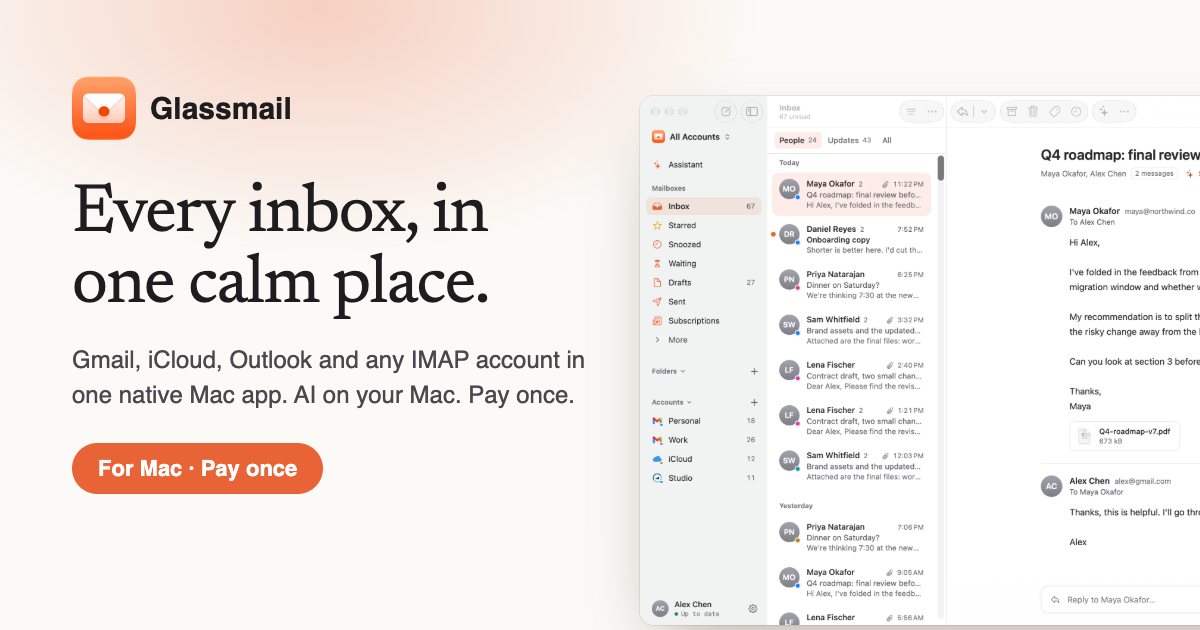
Most new email apps charge you every month and send your mail to their servers so their AI can read it. Glassmail doesn't. It's a native Mac app for Gmail, iCloud, Outlook and any IMAP account, and its AI runs on your Mac. Ask "what needs me today?" and get an answer. Type "yes, but next week" and get a reply in your own voice. Clear your inbox one key at a time. There's no mail server and no subscription. You pay once, and it's yours.
聯絡資訊
標籤
功能特色
Gmail, iCloud, Outlook, Yahoo, Fastmail and any IMAP account in one app
Private AI assistant, summaries and writing that run on the Mac
Plain-language search across every account
One-key triage, snooze, send later and undo send
Tracking pixels removed
定價
N/A
否
不可用
平台支援
技術資訊
常見問題
Which email accounts work with Glassmail?
Gmail and Google Workspace, iCloud, Outlook.com, Hotmail and Microsoft 365, Yahoo and AOL, Fastmail, and any other IMAP account, including custom domains. Glassmail finds the right servers from your address. Gmail, iCloud and Yahoo ask mail apps to use an app password; Glassmail walks you through making one in about a minute. Microsoft accounts sign in with Microsoft.
Does my email go through your servers?
No. There is no Glassmail mail server. Your Mac talks directly to Gmail, iCloud or your provider, the same way Apple Mail does. Passwords are kept in your Mac’s Keychain, and your mail is stored only on your Mac. The one other thing Glassmail sends is your licence check: the key, this Mac’s name and a hashed ID go to Polar, our payment provider.
What do I need for the AI features?
On macOS 26 or later with Apple silicon, Glassmail uses Apple Intelligence. On any other Mac, including Intel Macs and macOS 14 and 15, you can download a small model in Settings › AI. Either way it runs on your Mac and nothing is sent anywhere. The AI is optional; everything else works without it.
Can I try it before I buy?
Yes. Glassmail is free for 14 days with every feature, on your own accounts. After that it asks for a licence key, and your mail stays readable either way.
Can I get a refund?
You can try everything free for 14 days first, so purchases aren’t refundable, except where the law requires it. If something went wrong with a payment, like being charged twice, email us and we’ll put it right.
Do I need a card for the free trial?
No. Download it, add your accounts and use everything for 14 days. There is no card to enter, no account to make and nothing to cancel, so you can never be charged by surprise.
Can I keep using Apple Mail too?
Yes. Glassmail connects to the same accounts directly and doesn’t change Apple Mail at all. Use both side by side while you decide: archive or read a message in one and it’s archived or read in the other.
What happens when I get a new Mac?
Export an encrypted backup in Settings › General and import it on the new Mac. Your accounts, licence, rules, snippets and settings come with it, and your mail downloads again from each provider.
What does “pay once” include?
One licence works on up to three of your Macs and includes every version 1 update. There is no subscription and no account to create. If there is ever a version 2, upgrading will be optional.
What happens after version 1?
Your licence never expires. Every 1.x update is included, and Glassmail keeps working on your Macs whether or not anything comes after it. If there is ever a version 2, upgrading will be optional and paid for separately; nothing you already own stops working or becomes a subscription.
社群媒體
社群媒體